CD Desk Calendar Car Club Clasic

It is recommended that first time users look through the instructions before starting and refer back to them as required.
The calendar building software will open in a new window or tab so you can still access the instructions.
You must turn off "Block Pop-Up Windows" in your web browser Click for more information
1 - Choose 13 photos you wish to use and save them into a folder
optional - you can just link directly to you images folder (or any folder)
2 - Choose a colour from the next page - Click "start" at the bottom or top of this page
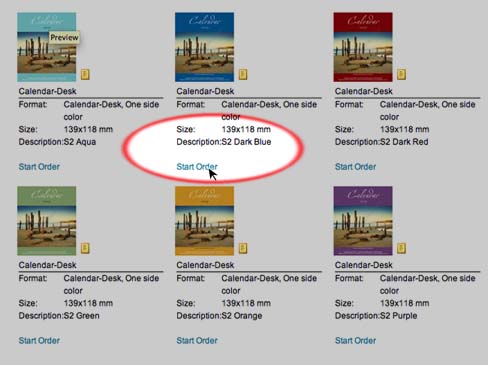
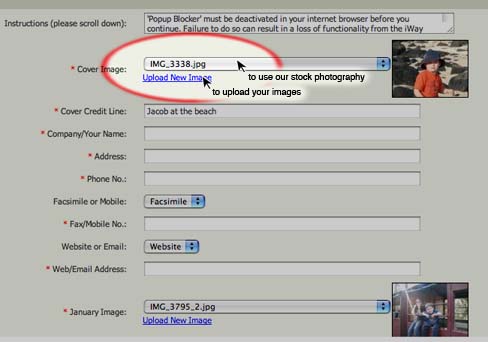
3 - Click on the "Upload New Image" to use your images or the Drop down bar to use our images
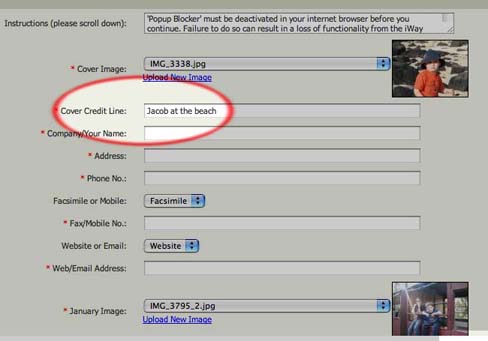
4 - Add a caption to the "Cover Credit Line"
If using your photos add a description of the photo or delete and leave this area blank
If using our stock photos leave blank
5 - Add any details you wish to print on every page of the calendar
You can leave this section blank (delete the existing text)
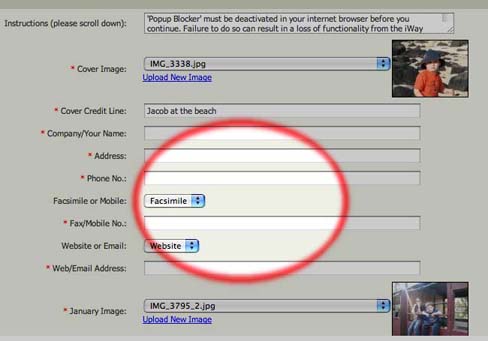
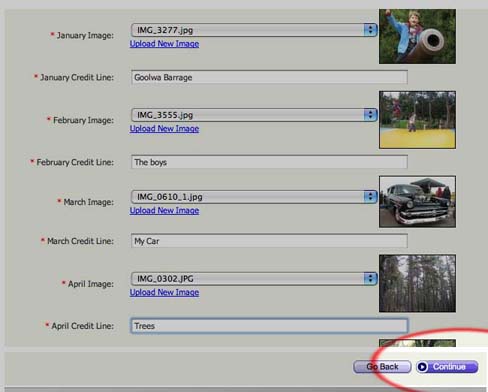
6 - Continue with January to December as per the front cover and then click "continue" in the bottom right hand corner
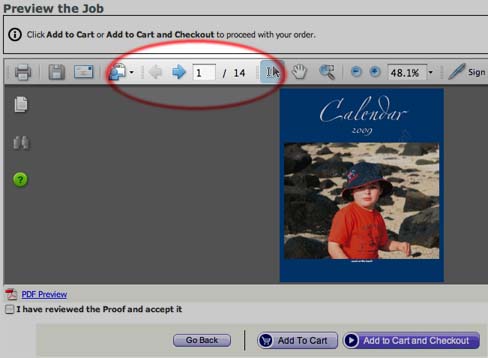
7 - Click on the right and left arrows to preview your calendar
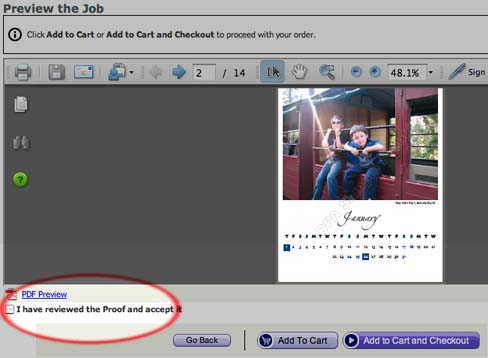
8 - Once you are happy with your proof click "accept' and then "Add to Cart and Checkout"
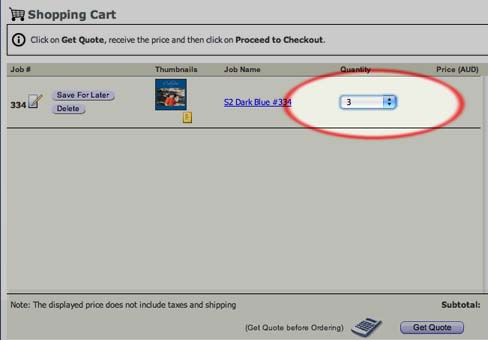
9 - Choose the quantity you want, click "get quote" in the bottom right hand corner and the proceed to checkout